
Guide
Fixing Lag in ROS Legacy: Frames, Ping and Everything Between
Two different problems share one name: diagnose whether your lag is frame rate or connection, then apply the right ladder of fixes.
CONTENTS On this page
Lag is two problems sharing a nickname, and they have opposite cures. This guide separates them the way our reviewer does on the test rack for ROS Legacy APK, then fixes each in order.
First, diagnose
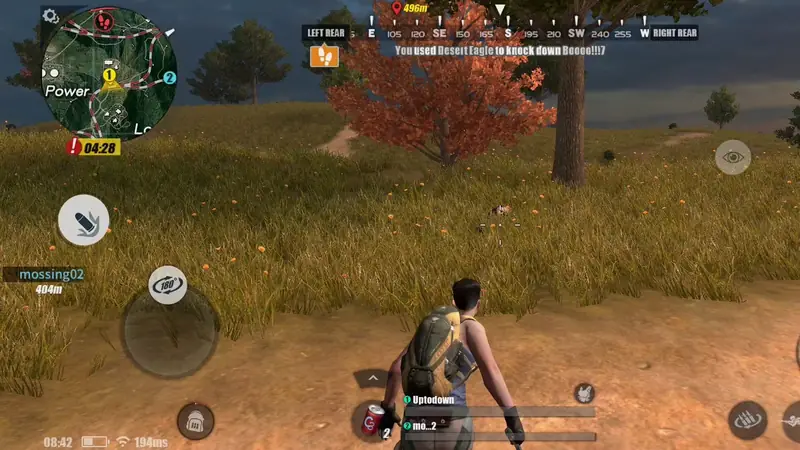
Frame lag looks like a slideshow that worsens in towns, weather and final circles, and it follows your graphics settings. Connection lag looks like rubber-banding, delayed pickups and shots registering late, and it follows your network and the hour of day. Watch one bad match carefully and name your problem before treating it.
The frame ladder
Graphics quality down one step, effects trimmed, background apps closed, storage genuinely freed. Test in the heaviest scene you can find, a town fight at midday, not in an empty field where everything looks cured. On older phones add session discipline: heat is a frame rate setting you control with breaks.
The connection ladder
Move closer to the router, compare Wi-Fi against mobile data in the same match conditions, and avoid playing through a household that is simultaneously downloading its evening. If your whole street plays at 8 pm, your 8 pm lobbies will feel it; off-peak matches are the connoisseur's fix. Name the lag correctly and ROS Legacy gives you back your matches.
Keep driving
- Best ROS Legacy Settings: Controls, Sensitivity and Graphics That Win Fights
- ROS Legacy on Old and Budget Phones: The Revival's Best Trick
Ready when you are: the download page carries the verified ROS Legacy file and its full details.
Quick Answers
Why does lag spike in final circles?
Maximum players, effects and attention in minimum space: the heaviest scene for both frame rate and connection.
Does a VPN help?
Rarely, and it usually adds distance. Fix the local rungs of the ladder first.
Is it my phone or the servers?
If solo menus and other games run fine and only matches stutter at peak hours, suspect connection and congestion, not hardware.